The free tier that felt generous a few years ago probably isn't anymore. Phones shoot bigger RAWs, videos get longer, and work files bloat with every software update. Meanwhile, the big cloud providers have been quietly reshuffling prices, trimming free allowances, and adding features designed to pull you deeper into their ecosystems. Here's where things actually stand in 2026 — what each service offers, where it cuts corners, and which one fits your situation.
01 The Big Four: Ecosystem Clouds
Google Drive / Google One remains the default for anyone already living in Gmail and Google Docs. The free tier gives you a fairly generous starting allowance shared across Drive, Gmail, and Google Photos — enough for light use, but not for long. Google's apps integration is genuinely excellent: you can open, edit, and collaborate on documents without downloading anything. The trade-off is privacy. Google's business model is built on knowing things about you, and while your Drive files aren't used for ad targeting in the same blunt way your search history is, Google can read everything you store unless you encrypt before uploading. If that doesn't bother you and you're already in the ecosystem, the paid tiers through Google One are competitive on price and bump you up to meaningful storage quickly.
Microsoft OneDrive is the Google Drive equivalent for Windows and Office users. It's baked so deeply into Windows 11 that many people are using it before they've made a conscious decision to do so — the Desktop, Documents, and Pictures folders back up to OneDrive by default unless you opt out during setup. For Microsoft 365 subscribers, OneDrive is effectively free at scale, which makes it excellent value if you're already paying for Word and Excel. For everyone else, the free tier is on the smaller side. Real-time co-authoring in Office apps is slick and genuinely useful; the mobile apps are solid; and OneDrive handles selective sync well, so you can keep your full archive in the cloud without filling a laptop's SSD. Privacy caveats mirror Google's: Microsoft can access your unencrypted files.
Apple iCloud Drive works beautifully if your life runs on Apple hardware and falls apart if it doesn't. Syncing photos, messages, device backups, and documents across an iPhone, iPad, and Mac is nearly frictionless — the kind of thing that just works. The free tier is modest, and given how much of iCloud's storage budget Apple's own device backups consume, most users end up needing a paid plan fairly quickly. Sharing with non-Apple users is possible but clumsy; the web interface is functional rather than great. For a single-platform Apple household, it's hard to beat for convenience. For anyone mixing platforms, look elsewhere.
Dropbox was the service that taught the world what sync meant, and its core functionality — reliable, fast folder sync across every platform — is still excellent. The free tier has shrunk considerably over the years and is now quite limited: fine for testing the service, not for real use. Paid plans are more expensive than the competition, which is a persistent complaint, though Dropbox Paper (collaborative docs) and smart sync features help justify the cost for teams. Dropbox has end-to-end encryption on some business tiers but not by default on personal plans — your files are encrypted at rest and in transit, but Dropbox holds the keys. If you're paying the premium, you're mostly paying for polish and reliability, which some people and teams genuinely value.
02 The Privacy-First Alternatives
Proton Drive comes from the same Swiss company that built ProtonMail and Proton VPN, and it takes a zero-knowledge approach: files are end-to-end encrypted before they leave your device, meaning Proton cannot read them, preview them, or hand them to anyone who comes asking. The free tier is modest but usable; paid plans via Proton's bundled subscription are reasonable, especially if you want the full suite including encrypted email and VPN. The apps have matured significantly and sync is now solid on Windows, Mac, iOS, and Android. The main cost is convenience: because Proton can't see your files, server-side features like full-text search and web-based editing don't work the way they do on Google Drive. If privacy is a priority — for sensitive work documents, legal files, or simply on principle — Proton Drive is the most credible mainstream option.
Mega is a New Zealand-based service with a long history and a headline-grabbing free tier: it offers substantially more free storage than almost any competitor, which is why it keeps appearing on comparison lists. Files are end-to-end encrypted by default. The caveat is that Mega's free tier throttles transfer speeds and bandwidth aggressively once you hit limits, and the service has had a complicated corporate history since its founding by Kim Dotcom — he has been uninvolved for years, but the association lingers in some people's minds. Paid plans are affordable and the encryption is genuine. Worth considering if free-tier size matters and you're comfortable with a smaller provider.
pCloud is a Swiss-headquartered service with an unusual pricing model: it offers lifetime plans (a one-time payment for permanent storage) alongside conventional monthly and annual subscriptions. That makes it interesting for people who think in terms of total cost of ownership rather than monthly outgoings. End-to-end encryption is available but costs extra — it's an add-on called pCloud Encryption rather than a default. Without it, pCloud encrypts at rest and in transit, but holds the keys. With it, you get zero-knowledge storage. The apps are clean, and the client-side selective sync is well implemented.
03 Buying vs. Renting: The Ownership Question
Google Drive
- Free tier
- ~15 GB (shared w/ Gmail)
- Max file
- very large
- Encryption
- Standard
- Price
- a few $/mo for more
Dropbox
- Free tier
- ~2 GB
- Max file
- very large
- Encryption
- Standard
- Price
- ~$10/mo tiers
iCloud Drive
- Free tier
- 5 GB
- Max file
- large
- Encryption
- Standard
- Price
- cheap tiers

OneDrive
- Free tier
- 5 GB
- Max file
- large
- Encryption
- Standard
- Price
- bundled with Microsoft 365
Proton Drive
- Free tier
- a few GB
- Max file
- large
- Encryption
- End-to-end
- Price
- privacy-plan pricing

MEGA
- Free tier
- ~20 GB
- Max file
- very large
- Encryption
- End-to-end
- Price
- mid tiers
pCloud
- Free tier
- ~10 GB
- Max file
- very large
- Encryption
- Standard
- Price
- lifetime plans
Sync.com
- Free tier
- ~5 GB
- Max file
- large
- Encryption
- End-to-end
- Price
- mid tiers

WeTransfer
- Free tier
- up to 2 GB / transfer
- Max file
- 2 GB free (more paid)
- Encryption
- Standard
- Price
- Pro for big + storage

Tresorit Send
- Free tier
- up to ~5 GB
- Max file
- large
- Encryption
- End-to-end
- Price
- part of Tresorit
Nextcloud
- Free tier
- your hardware
- Max file
- your disk
- Encryption
- Standard
- Price
- free software
| Service | Type | Free tier | Max file | Encryption | Price band | Best for |
|---|---|---|---|---|---|---|
| Google Drive |
Cloud | ~15 GB (shared w/ Gmail) | very large | Standard | a few $/mo for more | everyday sharing in the Google world |
| Dropbox |
Cloud | ~2 GB | very large | Standard | ~$10/mo tiers | reliable sync + sharing |
| iCloud Drive |
Cloud | 5 GB | large | Standard | cheap tiers | Apple devices |
| OneDrive |
Cloud | 5 GB | large | Standard | bundled with Microsoft 365 | Windows + Office users |
| Proton Drive |
Cloud | a few GB | large | End-to-end | privacy-plan pricing | privacy-first storage & sharing |
| MEGA |
Cloud | ~20 GB | very large | End-to-end | mid tiers | big free tier + encryption |
| pCloud |
Cloud | ~10 GB | very large | Standard | lifetime plans | one-time-purchase storage |
| Sync.com |
Cloud | ~5 GB | large | End-to-end | mid tiers | zero-knowledge Dropbox alternative |
| WeTransfer |
Transfer | up to 2 GB / transfer | 2 GB free (more paid) | Standard | Pro for big + storage | one-off big sends, no account |
| Tresorit Send |
Transfer | up to ~5 GB | large | End-to-end | part of Tresorit | encrypted one-off transfers |
| Nextcloud |
Self-host | your hardware | your disk | Standard | free software | owning your storage |
Every service above is, in the end, a landlord relationship. You're paying to store your files on someone else's hardware, subject to their terms, their prices, and their continued existence as a company. That's fine for most people most of the time — the convenience is real and the pricing is reasonable — but it's worth understanding what you're signing up for.
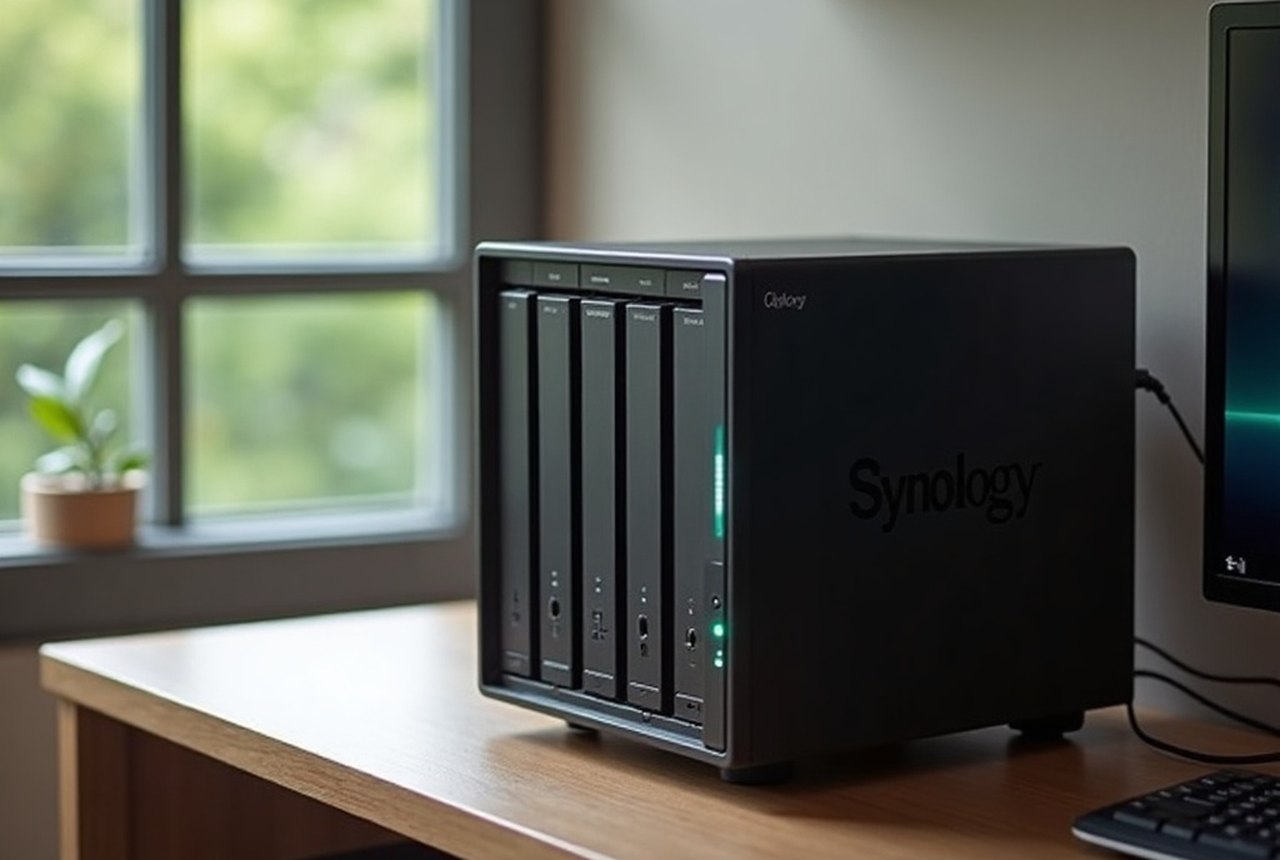
The alternative is self-hosting. A NAS (network-attached storage) device — from makers like Synology or QNAP — sits on your home network with two, four, or more drives inside. Run Nextcloud on it and you have a private cloud: file sync, share links, calendar, contacts, and photo backup, all on hardware you own, in a location you control. A mid-range two-bay NAS plus drives costs a few hundred dollars upfront, with no monthly fee beyond electricity. The trade-offs are real: you're responsible for updates, backups, and the fact that your house is not a data centre (power cuts, floods, and theft are possibilities a cloud provider handles for you). But for photographers with large archives, freelancers with sensitive client files, or anyone who simply values control, it's a serious option rather than a hobbyist curiosity.
Every cloud service is, in the end, a landlord relationship.
A middle path is renting a VPS (a virtual private server) and running Nextcloud there. It keeps your data off the big platforms while giving you proper off-site storage — and a small VPS costs a few dollars a month. You need to be comfortable with a little server administration, but the Nextcloud community and documentation make it far less daunting than it once was.
04 How to Actually Choose
Start with your real constraints. If you're deep in Google Workspace at work, Google Drive wins on integration, and the privacy trade-off is one you've arguably already made. If you use Microsoft 365, OneDrive is almost certainly the right answer just on economics. If you're on Apple devices exclusively, iCloud makes the most sense for photos and device backup, even if you supplement it with something else for documents you'd rather not share with Cupertino.
If privacy matters — genuinely, not just rhetorically — Proton Drive is the clearest recommendation: real zero-knowledge encryption, reputable company, apps that now work well, and a business model that doesn't depend on reading your data.
If the free-tier size is the deciding factor, Mega is hard to beat on gigabytes-per-dollar-of-zero.
If you take a lot of photos, handle large files regularly, or have already mentally committed to owning your data rather than renting its storage, price out a NAS. The upfront cost pays off faster than it looks.
Whatever you choose, don't rely on any single service as your only copy. Sync is not backup. A cloud folder that mirrors deletions instantly — which is what Dropbox, Drive, and OneDrive all do by default — will happily replicate an accidental deletion or a ransomware attack across every device you own. The 3-2-1 rule applies regardless of how good your cloud provider is: three copies, on two kinds of media, with one stored somewhere genuinely separate. The cloud counts as one of those copies. Make sure you have the others.
Named in this guide
Proton
Swiss privacy company behind ProtonMail, Proton VPN, and Proton Drive
Mega
New Zealand-based cloud storage service; known for large free tier and E2E encryption
Kim Dotcom
Mega's founder; no longer involved with the company
pCloud
Swiss-headquartered cloud storage service offering lifetime storage plans
Synology / QNAP
major NAS hardware manufacturers
Nextcloud
open-source self-hosted cloud platform; runs on NAS or VPS